Automated meeting notes for Zoom, Google Meet, Microsoft Teams, and more. Stay connected and collaborative when you work from home.
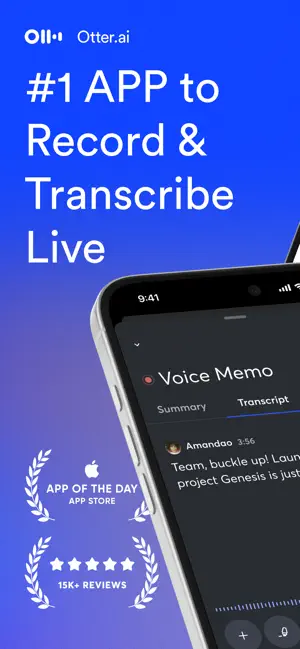
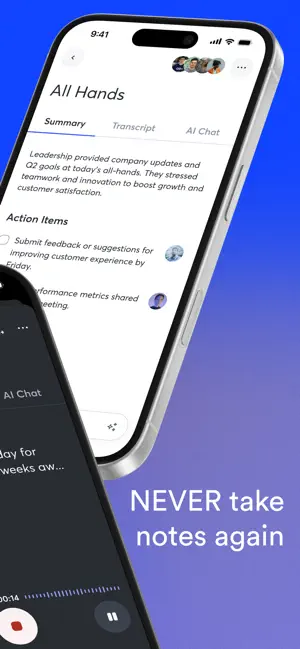
Never take meeting notes again. Otter AI is the fastest way to transcribe voice in real time. Get a meeting assistant that records audio, writes notes, automatically captures slides, and generates summaries.
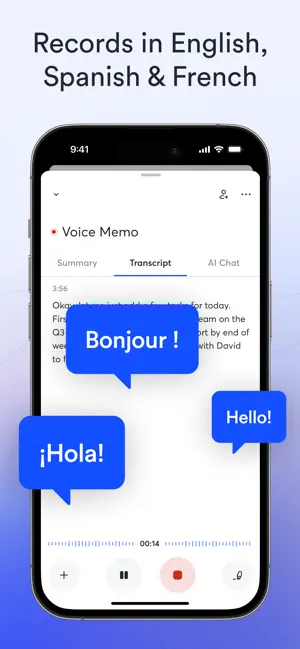
Available in English, Spanish and French. Otter AI is also available on the web. Start for free.
Trusted by over 10 million people and featured by Apple as "App of the Day" and "Editors' Choice."
Automated meeting notes for Zoom, Google Meet, Microsoft Teams, and more. Stay connected and collaborative when you work from home.
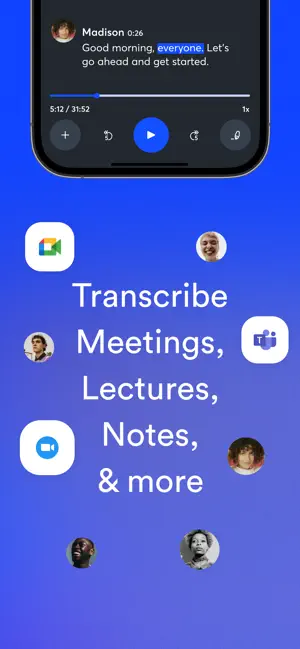
Otter transcribes all your meetings, interviews, lectures, and everyday voice conversations in real time, so you can focus on the discussion.
KEY FEATURES
• AI Meeting Assistant: get automated meeting notes & summaries
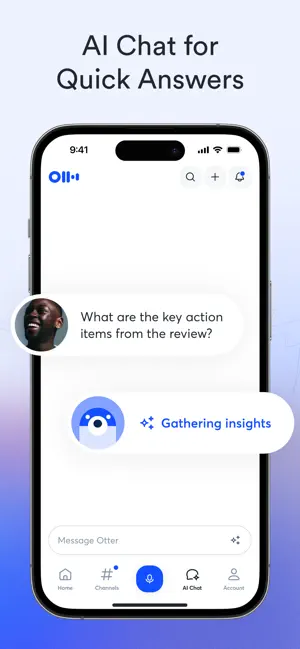
• AI Chat: get answers and generate content
• AI Channels: combine live conversations with async updates. Chat with teammates.
• Record & transcribe live
• Automated meeting notes & summaries
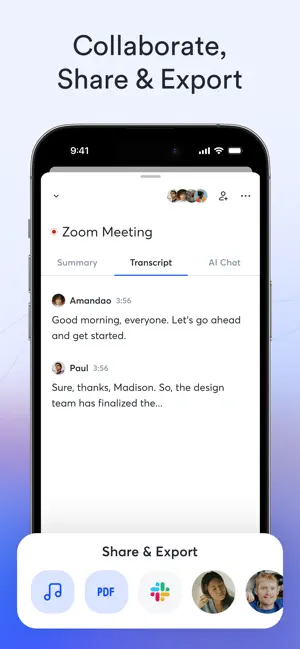
• Share & collaborate
• All notes are searchable & shareable
• Edit & highlight
• Organize & export
• Import & sync
Looking for a specific feature? Here are the details:
RECORD & TRANSCRIBE LIVE
• Instantly record in one tap
• Transcribe in real time
• Highlight key points to review later
• Insert photos of whiteboard discussions, slides, etc.
• Input audio via built-in mic or Bluetooth device
ENRICH NOTES WITH AI
• Gather information across all your conversations
• Ask questions about a specific meeting
• Generate follow- up emails
• Automated Slide Capture during virtual meetings
• Generate summary, outline and keywords after all meetings
• Punctuate, capitalize, and break paragraphs automatically
SHARE & COLLABORATE
• Invite group members to view, edit, and highlight collaboratively
• Add comments and assign action items
• Share links externally
SEARCH & PLAYBACK
• Search the text so you don't have to scrub through the whole audio
• Playback at adjustable speeds
• Follow along the highlighted word as the audio is playing
• Tap on any word to jump the audio to that spot
EDIT & HIGHLIGHT
• Edit the text to correct any errors
• Tag the speakers to label the paragraphs and train Otter to identify speakers too
• Highlight sentences in one tap
IMPORT & SYNC
• Import audio and video files
• Upload from other call recording apps
• Sync your calendars to be reminded to record your meetings and auto-title your notes
• Import your contacts for easy sharing
OPTIMIZED FOR iOS
• Start/Stop recording with Siri Shortcut & home widget
• Record via AirPods
• Sync with iOS Calendar, Contacts & Camera
Otter Pro
Get more playback speeds, skip silence, and bulk export. Payment will be charged to your iTunes Account at confirmation of purchase. Subscription automatically renews unless auto-renew is turned off at least 24-hours before the end of the current period. Account will be charged for renewal within 24-hours prior to the end of the current period. You can manage your subscriptions in Settings and auto-renewal may be turned off by going to your Account Settings after purchase. Any unused portion of a free trial period, if offered, will be forfeited when you purchase a subscription.
Need help? Check out our Help Center: https://help.otter.ai
Terms of Service: https://otter.ai/terms-of-service
Privacy Policy: https://otter.ai/privacy-policy

-

- YAZIO
- Write It! Japanese (Write Japanese)
- L’ÉQUIPE - actu, score, match
- Meta AI
- Tarot! App
- Brawlhalla App
- DuoMe - Live Video Chat
- Mubasher
- Teamo
- Breeze - Offline Dating App
- فضفض - شات و دردشه مع مجهول
- Beep: Internships for Students
- GOGO LIVE
- TR TALK
- Chrome Dev
- Yooppe
- Cici
- Achat Pro
- Dil Mil
- NIMI


Free Download Otter Transcribe Voice Notes App 3.88.0 by App Store
3.88.0
 4.7
4.7 
AI Note Taking, Memo Recorder
Information about Otter Transcribe Voice Notes App 3.88.0
 |
License | |
|---|---|---|
 |
Op. System | Requires iOS 15.0 or later. |
 |
Category | Productivity for iPhone |
 |
Language | |
 |
Author | Otter.ai, Inc. |
 |
Permissions | |
 |
Downloads | 0 |
 |
Date | Jan 1, 1970 |
 |
Size | 229.2 MB |
 |
File type | ios |
 |
Architecture | Requires iOS 15.0 or later. |
 |
Content Rating | 4+ |
 |
Advertisement | Free · In‑App Purchases |
 |
Requirements | Requires iOS 15.0 or later. |
 |
SHA256 |
Apps recommended for you