Go to Windows platform Display platforms icon
Go to Mac platform Go to Windows platform Go to Android platform
Adobe DNG Converter icon

Adobe DNG Converter

17.2
Adobe
5
1.63 GB size
1downloads

Convert RAW and DNG files from your camera

Adobe DNG Converter is a program that allows you to convert the .raw and .dng formats of your camera to a more universal and accessible DNG format. These formats are known as "digital negatives", and store all the uncompressed information of any photo you take. As a result, there is a greater dynamic range and a greater possibility of color retouching by software compared to a JPG file, where the image is compressed.

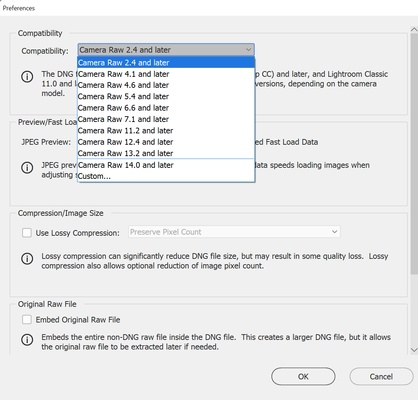
The problem is that sometimes you may be faced with a camera that is too modern or software that is too old. If this is the case, you may not be able to open the photos you have taken with an editor. Fortunately, with Adobe DNG Converter, you can convert them to an older DNG format that is compatible with your software.

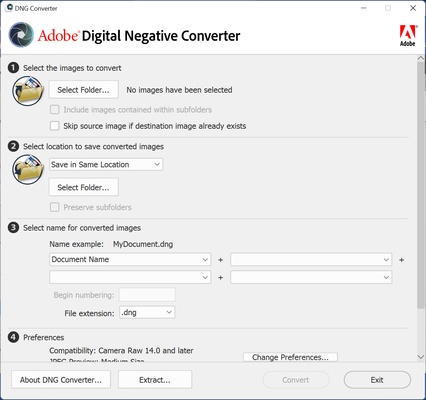
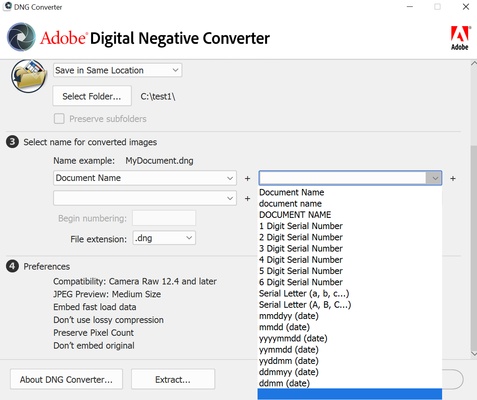
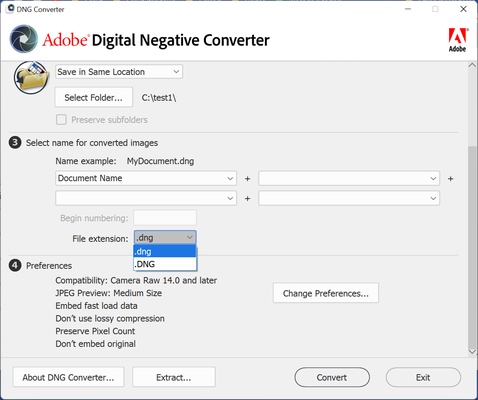
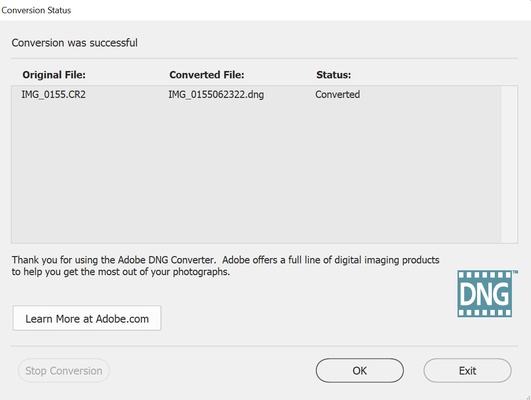
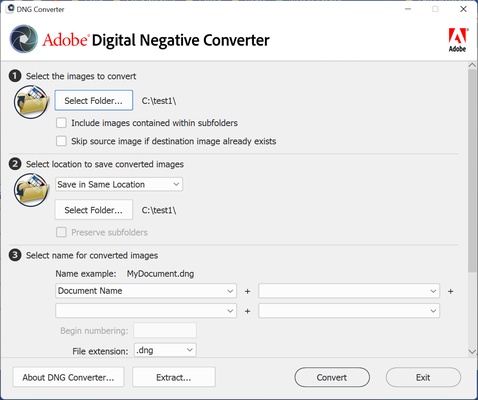
Using Adobe DNG Converter is very simple. First of all, choose the folder in which you have the photos you want to convert. After that, select the DNG format, and the name you want to give to the images. After that, the conversion will start. The resulting photos have no loss in quality, as they are still an uncompressed negative format. It has simply been adapted to make it more compatible.

Adobe DNG Converter includes support for all Camera Raw versions on the market. This tool, included in Photoshop, is the one that allows you to retouch your RAW photos from Adobe's retouching program. Camera Raw also serves as the basis for Lightroom, the world's most widely used photo retouching suite. So if you want to convert between RAW and DNG formats, downloading Adobe DNG Converter is the best way to do it.

Information about Adobe DNG Converter 17.2

License Free
Op. System Mac
Category Photo edition
Language English
Author Adobe
permission icon Permissions Not applicable
Downloads 1
Date 2025-04-19 01:19:19
Size 1.63 GB
File type DMG
Architecture Not specified
Content Rating All ages
Advertisement Not specified
Requirements
  • Not specified
SHA256 5aea948bddd98ec1eafcf0a15a7177649c07ddfe55d83c02b3a6d3f7d78ba58c

Apps recommended for you

Photomatix icon
Improve thelook of your photos with too much or too little light
AndreaMosaic icon
Make a mosaic from an image gallery
Rebelle icon
Escape Motions
Hugin icon
Panoramic photos, also on Mac
Adobe Camera Raw icon
Now you can work with your photos in RAW format
Inkscape icon
Free software to create vector graphics
Scribus icon
Free software for laying out publications and documents
Image Tricks icon
An image editor that uses the Mac graphics engine
Ai Image Enlarger icon
AI Image Enlarger
Paintbrush icon
Equivalent of the classic Paint of Microsfot Windows
CameraBag icon
Apply professional effects to your photos in just seconds
Spin 3D Mesh Converter icon
Convert STL, 3DS, 3DP, 3MF, OBJ, PLY and other 3D file formats
Olive icon
Edit videos with nodes
FotoSketcher icon
Transform your images into works of art
Pixelmator icon
A very complete and easy-to-use image editor
Photomatix icon
Improve thelook of your photos with too much or too little light
CSV Duplicate Remover icon
Identify and remove duplicates from CSV files
PhotoStage Pro Edition icon
An excellent multimedia editor for Mac
AndreaMosaic icon
Make a mosaic from an image gallery
Adobe Photoshop icon
The most famous image editor&creator, now for Mac
Rebelle icon
Escape Motions