Go to Windows platform Display platforms icon
Go to Mac platform Go to Windows platform Go to Android platform
Deeper icon

Deeper

3.1.4
Titanium
0
5.51 MB size
1downloads

Configure hidden settings of your Mac

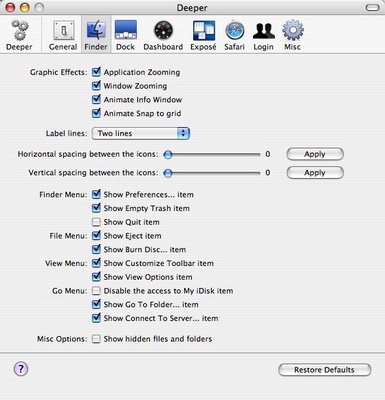
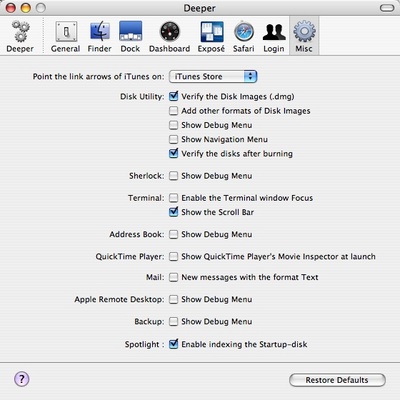
Deeper is a lite application by the creators of Onyx that allows you to apply changes on your Mac you can't access easily.

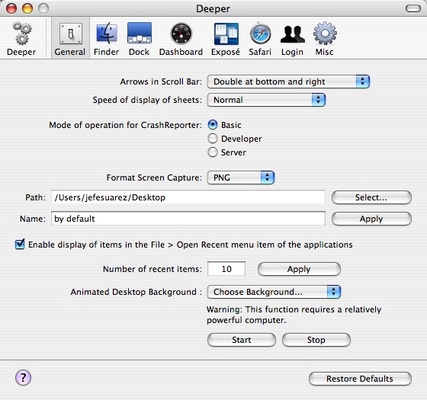
You'll find those changes ordered in categories: Finder, General, Dock, Dashboard, Safari,...

Modify screen Capture settings, the format of the capture and the folder where it is saved, dock settings, etc.

The high point of Deeper is that it offers you easy access to advanced changes that are hidden when using your Mac commonly.

Information about Deeper 3.1.4

License Free
Op. System Mac

Category Utilities
Language English 4 more
Author Titanium
permission icon Permissions Not applicable
Downloads 1
Date 2025-04-19 01:08:35
Size 5.51 MB
File type DMG
Architecture Not specified
Content Rating Not specified
Advertisement Not specified
Requirements
  • Not specified
SHA256 09930fe53f66e3dc1c55a24f218d6acbbfee25e5c262dcba4d5f2d69a7562e63

Apps recommended for you

PrusaSlicer icon
Export print files for your 3D printer
MacSonik vCard to CSV Converter icon
Download the best vCard to CSV Converter to convert VCF File to CSV
Maintenance icon
Maintenance tasks to improve your Mac's performance
Douyin icon
The Chinese version of TikTok
Mactracker icon
Database that includes every Apple product
MEGASync icon
Mega Limited
Ant Commander Pro icon
Powerful file manager
ChatGPT icon
The official app of OpenAI's popular chatbot for Mac
‎I Am Your Beast App icon
First person revenge thriller.
SyncMate icon
Synchronize Pocket PC and Mac devices
GoodSync2Go icon
Sync your data in a portable and professional way
Responsively App icon
Responsively App
WhatSize icon
Displays used space on hard drive numerically
TablePlus icon
TablePlus Inc.
HTTP Toolkit icon
Tim Perry
SteerMouse icon
PLENTYCOM SYSTEMS
ExifTool icon
Check and edit your photos' metadata
MBOX Converter for Mac icon
Mac MBOX Converter Tool is the best tool to convert MBOX to other file
Logi Options+ icon
Conveniently manage your Logitech peripherals
Podman Desktop icon
podman desktop
ShareMouse icon
Control multiple computers with a single keyboard and mouse
Duplicati icon
Duplicati
CoolTerm icon
An easy way to transfer information between serial ports