Go to Windows platform Display platforms icon
Go to Mac platform Go to Windows platform Go to Android platform
LosslessCut icon

LosslessCut

3.65.0
Mikael Finstad
4
2.34 MB size
0downloads

Cut your videos to create the perfect clip

LosslessCut is a very useful tool for editing any videos that just need to be cut in some parts. Suppose you have recorded something very long and you want only part of the video or bits removed from the final recording. In that case, this tool will allow you to remove any part of the total video to get the perfect recording without unusable or empty seconds.

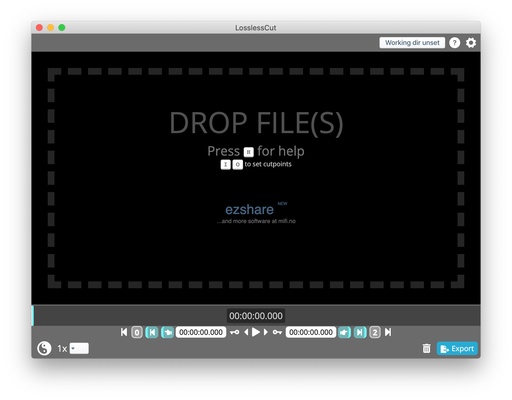
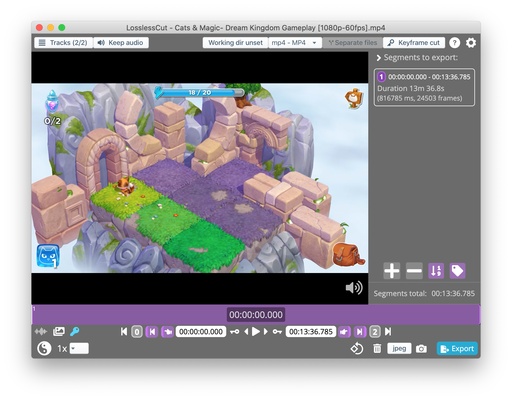
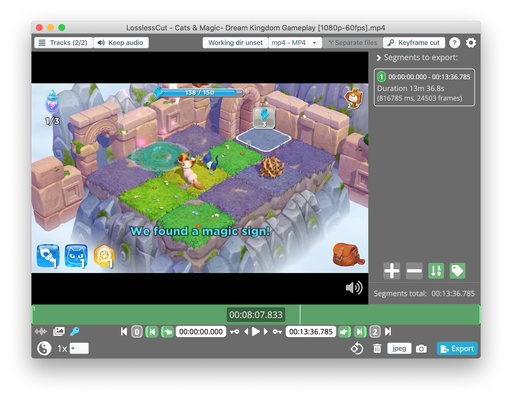
To start working with any of your recordings just select the file from the folder browser or select the item and drag it to the main window. Once the whole video has loaded you'll see its length and number of frames, so you can cut any part down to the split second.

At the bottom of the screen, you'll find all the tools you need to start cutting video clips. Click on the frame bar to go to the exact point in the video you want to edit or use the forward or backward buttons to go to a second near it. One of the advantages of LosslessCut is that you can zoom in up to 4096x to display your frame bar in milliseconds.

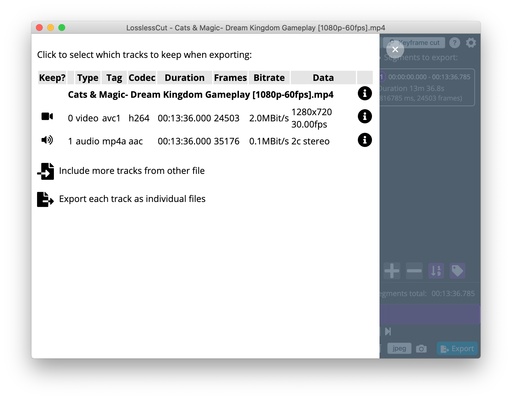
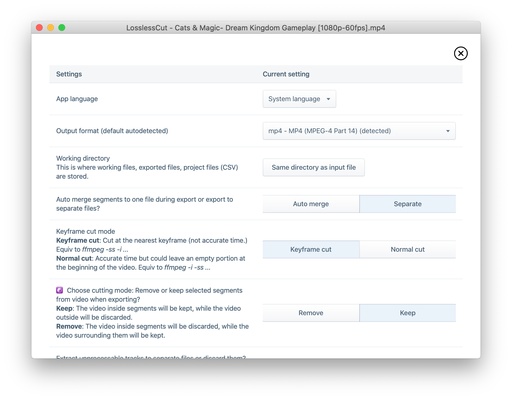
Another advantage of LosslessCut is that it supports MP4, MOV, WebM, MKV, OGG, WAV, MP3, AAC, H264, Theora, VP8 and VP9 extensions, so you won't run into any compatibility problems when working with your recordings. Additionally, you can also take full-resolution JPEG or PNG photos of videos, and even remove the audio.

Information about LosslessCut 3.65.0

License Free
Op. System Mac
Category Multimedia
Language English
Author Mikael Finstad
permission icon Permissions Not applicable
Downloads 0
Date 2025-04-19 01:41:54
Size 2.34 MB
File type ZIP
Architecture Not specified
Content Rating +3
Advertisement Not specified
Requirements
  • Not specified
SHA256 d63f9d98a739f557105981778639127d0ff2343f93207c9b0260dfe249549cb6

Apps recommended for you

Caesium icon
Compress photos to save space on your Mac
Stacher icon
Download videos from YouTube
Boom 3D icon
Turn your Mac into a home theater with 3D surround sound
Krita icon
A comprehensive suite for digital drawing and vector graphics
n-Track Studio icon
Turn your computer into a recording studio
Lightworks icon
A top-notch video editor that produces professional results
ActivePresenter icon
Record your screen and edit videos with ease
XnView MP icon
Instantly capture and view images
Stacher icon
Download videos from YouTube
HitPaw Univd for Mac icon
Convert videos to any formats and download videos from website on Mac
Lightworks icon
A top-notch video editor that produces professional results
Giada icon
Create your own music using samples
UkeySoft Audible Converter icon
Your Best Tool to Convert Audible Books to MP3 for Mac OS.
Sonos icon
Control your Sonos sound system from your Mac
Stream Deck icon
Manage your Stream Deck and customize its buttons
Screenshot Scrop icon
Quickly crop screenshots and images from clipboard
ente icon
Ente Technologies, Inc.
Caesium icon
Compress photos to save space on your Mac
HitPaw FotorPea icon
Edit your photos with artificial intelligence
bilibili icon
The official Mac app of Asia's best video platform
AirParrot icon
Squirrels LLC
Stacher icon
Download videos from YouTube
Movavi Video Editor icon
Full-powered video editor with professional results for Mac