Go to Windows platform Display platforms icon
Go to Windows platform Go to Mac platform Go to Android platform
CoolTerm icon

CoolTerm

2.3.0
Roger Meier
0
24.35 MB size
1downloads

Sends and receives data through any serial port

CoolTerm is a completely free app that will allow you to send and receive information through any serial port. This is especially useful for users (usually professionals or electronics hobbyists) who need to exchange data between various devices that need to be connected through serial ports, such as development kits, servo controllers, or various transmitters.

Simply unzip and run

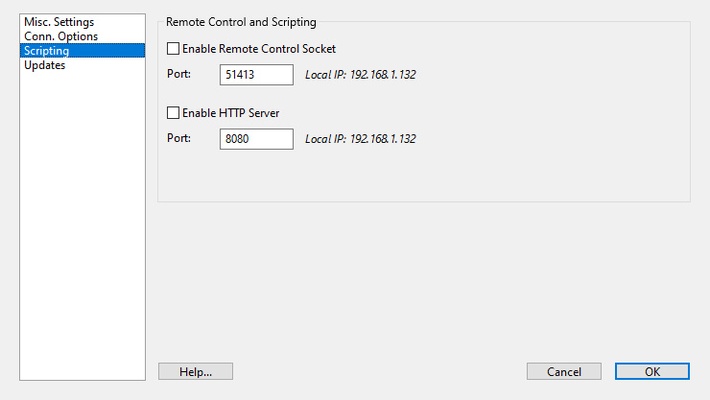
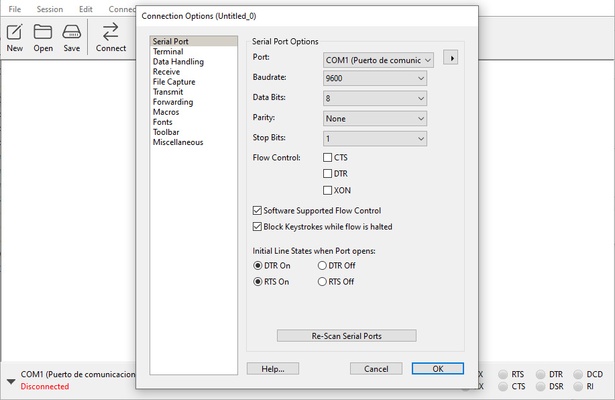
In order to use CoolTerm you will not need to install the program. You will only have to unzip all the files inside the same folder and that's it. The first time you run the program you will be able to adjust the Configuration Options, but if you prefer (or do not know how to do it very well) you can also leave all the options by default. Once you have completed this first boot, you will be able to use the software at ease.

Sends information to serial ports in seconds

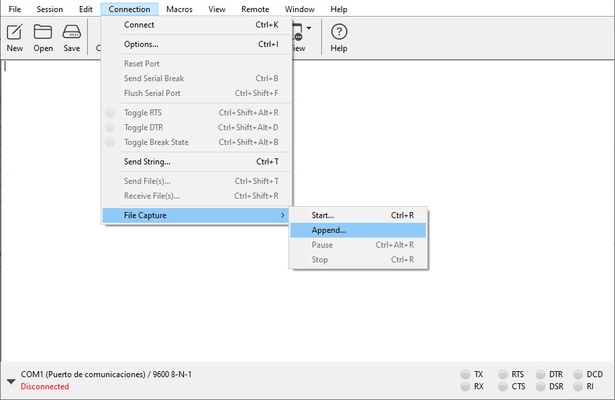
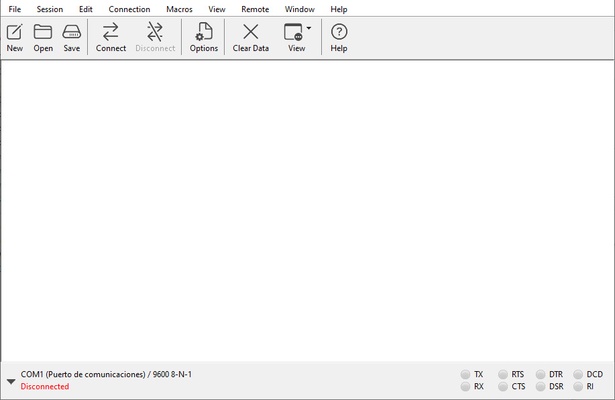
The first thing you will see when you open CoolTerm will be a terminal where you can enter all the information you want to send to the serial port. The program is compatible with both .CoolTermSettings files and .STC files, so you can create and save your own macros for later use as many times as you want. You can also choose between three different views: standard, hexadecimal and graphical.

Convenient sending of information through serial ports

Download CoolTerm if you usually work with this type of ports, which are becoming less and less common in most PCs. Thanks to this program you will be able to work with any external device that uses serial ports and send information and data between them.

Information about CoolTerm 2.3.0

License Free
Op. System Windows
Category Utilities
Language English 47 more
Author Roger Meier
permission icon Permissions Not applicable
Downloads 1
Date 2025-04-18
Size 24.35 MB
File type ZIP
Architecture Not specified
Content Rating Not specified
Advertisement Not specified
Requirements
  • Not specified
SHA256 7518a6c0a75be8a8cefa640062547e9470fbf732991024e28c8ad7ad1aeddcb9

Apps recommended for you

Cisdem PDF Compressor icon
Reduce PDF file size in batches.
Q-Dir icon
A four-panel file manager with extra options
Yandex Disk icon
Store and share files in the cloud using any device
Sandboxie icon
Protect your computer from online threats
WSL Distro Manager icon
Manage WSL distributions
App Installer icon
Install apps from the Microsoft Store manually
CCleaner Portable icon
The best choice to clean your system is portable now
Blue Iris icon
Turn your computer into a video surveillance hub
Cisdem PDF Converter OCR icon
Convert and OCR PDFs to Office, images formats and more.
PrusaSlicer icon
Export files to print on your 3D printer
TGMacro icon
Automate repetitive tasks
Steganos Privacy Suite icon
Protect the privacy and safety of your system
1LimX icon
File, data encryption & password manager
EF Commander icon
Manage all the files on your hard drive
Fort Firewall icon
An alternative to the Windows Firewall
GPU-Z icon
Monitors your graphic card's key features
FinePrint icon
Save ink and paper when printing
pdfFactory icon
Create PDF files easily, as if you were printing
Multicommander icon
Multi-tab file manager
Uninstalr icon
Uninstall programs the simple way
1LimX icon
File, data encryption & password manager
Daemon Tools Lite icon
The lite version of Daemon Tools
Quick CPU icon
Get all the data about the performance of your processor
Cisdem PDF Compressor icon
Reduce PDF file size in batches.