Go to Windows platform Display platforms icon
Go to Windows platform Go to Mac platform Go to Android platform
MakeMKV icon

MakeMKV

1.18.1 Beta
GuinpinSoft
5
14.74 MB size
4downloads

Create MKV files from your DVDs and Blu-rays

MakeMKV is a useful application that can create MKV files from any DVD or Blu-ray.

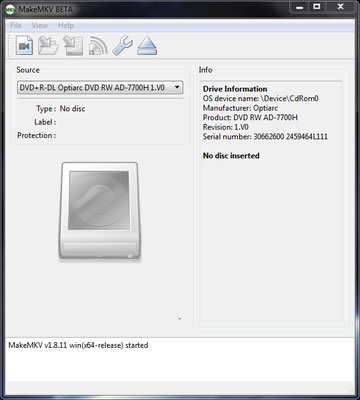
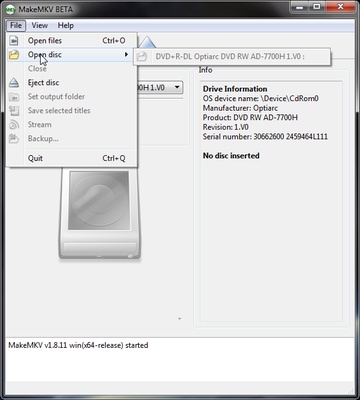
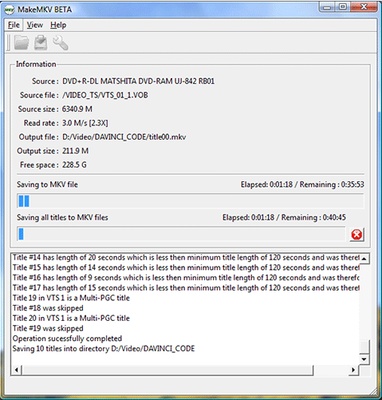
The program reads the discs that you insert in your machine, showing all the tracks on the DVD or Blu-ray organized into individual clips so you can choose which ones you want to rip to create a file with the images, audio, and subtitles included.

The details of each element are shown, too, including the extension, size, length, codec, and language. Once you mark all the files you want from the DVD, you just have to press the 'Make MKV' button.

MakeMKV gets around practically any anti-copy protection system, so the only thing you have to worry about is choosing the parts of the DVD you want, no matter the format.

This application works pretty quickly, but the extraction time depends on the speed of your disc reader and the quality of the clips being converted to the output MKV.

Another feature that stands out in this program is that it can stream selected videos using a link generated on the local network.

Information about MakeMKV 1.18.1 Beta

License Trial
Op. System Windows
Category Video
Language English 5 more
Author GuinpinSoft
permission icon Permissions Not applicable
Downloads 4
Date 2025-04-18
Size 14.74 MB
File type EXE
Architecture Not specified
Content Rating Not specified
Advertisement Not specified
Requirements
  • Not specified
SHA256 97a5e8688c5f57f57396750f7139cab35b5349e6138d1b6e00c6a9b1fcdf1517

Apps recommended for you

Free Video Cutter Joiner icon
The easiest way to cut and join videos
Clipchamp icon
Create stunning videos for YouTube, Instagram, and TikTok
HEVC Video Extensions from Device Manufacturer icon
Play HEVC (H.265) encoded videos on Windows
Cyberlink PowerDirector icon
Edit video clips and create complete original DVD's
ActivePresenter icon
Take screenshots and screencasts in a simple way
Movavi Video Converter icon
Good choice to convert videos to iPod or PSP format
FFmpeg icon
One of the best open codecs for video playback
UkeySoft Music Converter icon
Best Tool to Convert Spotify Music to MP3/WAV/M4A/AAC
scrcpy icon
Control your smartphone and tablet from your computer
Kingshiper Screen Recorder icon
An easy-to-use Windows desktop screen recording software.
AVS Media Player icon
How to play your video and audio
JRiver Media Center icon
All your audio files at a glance
myFFmpeg icon
OSBytes
VideoPad Video Editor and Movie Maker Free icon
Easily create your own videos
HEVC Video Extensions from Device Manufacturer icon
Play HEVC (H.265) encoded videos on Windows
Zoom Player IPTV icon
Play your IPTV content
iQIYI icon
Chinese streaming platform with movies, series and more
AVS Video Editor icon
Powerful multitask application to edit video
VideoPad Video Editor and Movie Maker Free icon
Easily create your own videos
Multiviewer icon
Watch multiple F1, Indycar and NASCAR streams at the same time
Cyberlink PowerDirector icon
Edit video clips and create complete original DVD's
x264 icon
VideoLAN
WonderFox Free HD Video Converter Factory icon
Convert your videos into 200 different formats
LosslessCut icon
Slice up your videos with max precision