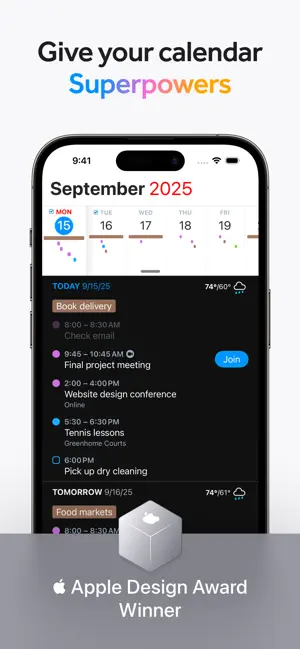
Fantastical is the award-winning calendar app with powerful features including intuitive natural language text parsing, beautiful full calendar day, week, month, quarter and year views, tasks, time zone support, and much, much more.
TRY FANTASTICAL FOR FREE
• Beautiful, clean, and easy to use calendar app allowing you to manage basic events
• The DayTicker and calendar makes your schedule look the nicest it ever has
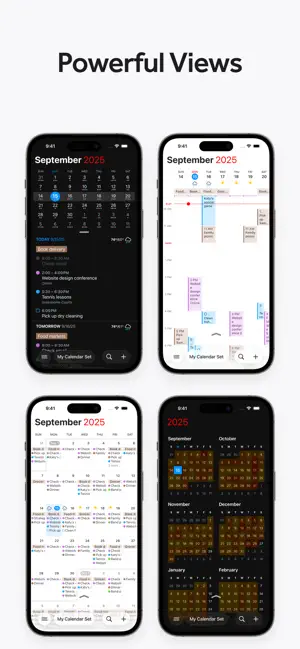
• Full screen day, week, month, quarter, and year views
• Full task support including Todoist and Google Tasks
• 3 day weather forecast (powered by AccuWeather)
• 14 day free trial for Flexibits Premium
UPGRADE TO FLEXIBITS PREMIUM FOR EVEN MORE (requires subscription)
• Includes Fantastical on all devices: Mac, iPhone, Apple Watch, and iPad
• Openings: Schedule events based on your availability
• Proposals: Create meeting polls
• Add Zoom, Google Meet, Webex, and Microsoft Teams calls
• Extended 10 day weather forecast with RealFeel and MinuteCast up-to-the-minute weather data (powered by AccuWeather)
• Browse and instantly subscribe to interesting calendars, including sports, TV shows, holidays, and much more (powered by SchedJoules)
• Calendar sets - quickly toggle multiple calendars on or off with a simple click or automatically when you leave or arrive, based on location
• Event and task templates
• Sync calendar sets and templates across devices
• Apple Watch app with Up Next and Weather (and works over LTE)
• Parser autocomplete recommendations for invitees, locations, and calendars/task lists
• Propose multiple times to easily ask people when they can meet
• Combine duplicate events across multiple calendars
• Invitees and availability lookups
• Respond to event invitations
• Default alerts
• Time zone override
• Favorite time zones
• Push updates for Google and Exchange
• Set event travel time and receive time to leave notifications
• Custom event colors
• Custom home screen icons
• Custom alert sounds
• Hide events without deleting them
• Add attachments to events on iCloud, Google, and Exchange
• Priority email support
ADDING NEW EVENTS OR TASKS IS FAST AND FUN
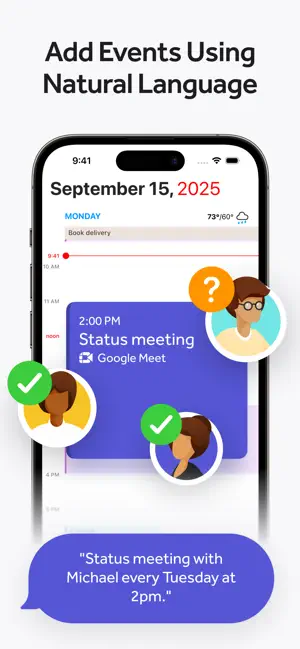
• The easiest and fastest way to add new events or tasks
• Type in your details or use dictation and watch your words magically turn into an actual event or task!
• Powerful parser features, including:
- Create tasks by starting your sentence with “task” ”reminder", "todo", or "remind me to"
- Powerful and expressive repeating events such as third Thursday of every month, every weekend, last weekday of the month, and more
- Create alerts with phrases like "remind me tomorrow at 3PM", "alert 1 hour before", or "alarm 3PM"
THE BEST TASKS APP, TOO
• See your events and dated tasks together in the main list
• Add tasks directly from the Tasks list or new event screen - just flip the switch to toggle between events and tasks
• Set dates, times, and geofences (when I arrive/when I leave)
• Support for iCloud Reminders, Todoist, and Google Tasks
WORKS THE WAY YOU DO
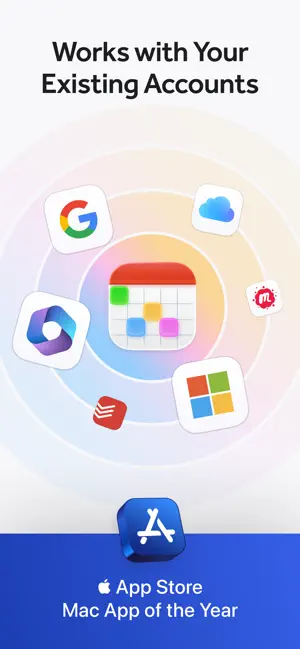
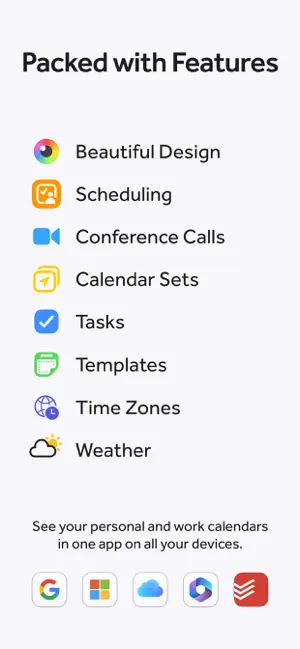
• Connects to your favorite calendar services including iCloud, Google, Exchange, Office 365, Todoist, and more
• Automatically add alarms to your new events
• Fantastical is fully localized in English, French, German, Italian, Japanese, Spanish, and Portuguese
• Start typing your event or task in any of these languages and Fantastical will automagically understand!
EVEN MORE FANTASTICAL
• Lots and lots of iOS and iPadOS widgets
• Background app updating enables events, tasks, and alerts to be pushed to Fantastical even if you don't launch the app often
• Birthdays and Anniversaries - see your contact’s details or send a quick birthday or anniverary greeting
• Handoff support between Fantastical for Mac, iPhone, and iPad
• Time zone support including floating time zone support
• Dark and light themes
• Stickers
• Accessibility support
• And much, much more!

-

- YAZIO
- Write It! Japanese (Write Japanese)
- L’ÉQUIPE - actu, score, match
- Meta AI
- Tarot! App
- Brawlhalla App
- DuoMe - Live Video Chat
- Mubasher
- Teamo
- Breeze - Offline Dating App
- فضفض - شات و دردشه مع مجهول
- Beep: Internships for Students
- GOGO LIVE
- TR TALK
- Chrome Dev
- Yooppe
- Cici
- Achat Pro
- Dil Mil
- NIMI


Free Download Fantastical Calendar App 4.1.3 by App Store
4.1.3
 4.1
4.1 
Reminders & Todo List
Information about Fantastical Calendar App 4.1.3
 |
License | |
|---|---|---|
 |
Op. System | Requires iOS 17.6 or later. |
 |
Category | Productivity for iPhone |
 |
Language | English,French,German,Italian,Japanese,Portuguese,Spanish |
 |
Author | Flexibits Inc. |
 |
Permissions | |
 |
Downloads | 0 |
 |
Date | Jan 1, 1970 |
 |
Size | 197.3 MB |
 |
File type | ios |
 |
Architecture | Requires iOS 17.6 or later. |
 |
Content Rating | 4+ |
 |
Advertisement | Free · In‑App Purchases |
 |
Requirements | Requires iOS 17.6 or later. |
 |
SHA256 |
Apps recommended for you