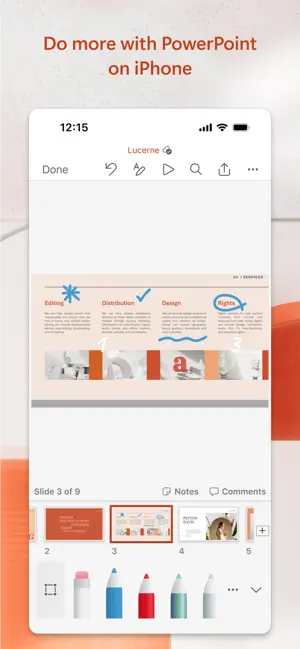
The PowerPoint app gives you access to the familiar slideshow maker tool you already know. Create, edit, view, present, or share presentations quickly and easily from anywhere.
Need to access your PowerPoint files quickly while on the go? PowerPoint provides a quick view of your recent slides and presentations for easy access on any device.
Worried about multiple file versions when you work on PowerPoint mobile? Syncing is seamless across devices via OneDrive.
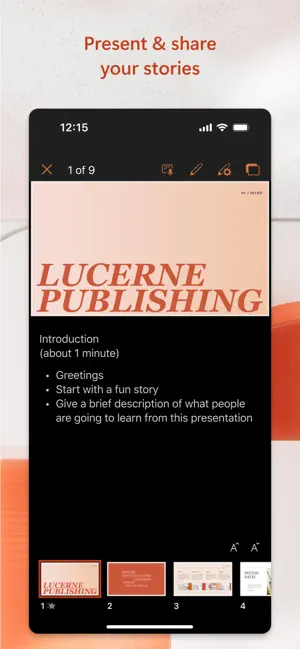
PowerPoint lets you make a lasting impression with powerful and customizable slides and presentations that make you stand out. Create slideshows and present with confidence from anywhere.
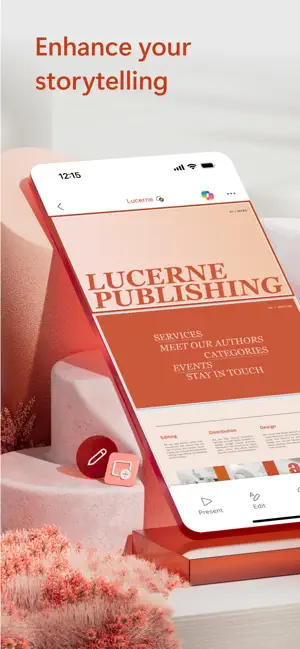
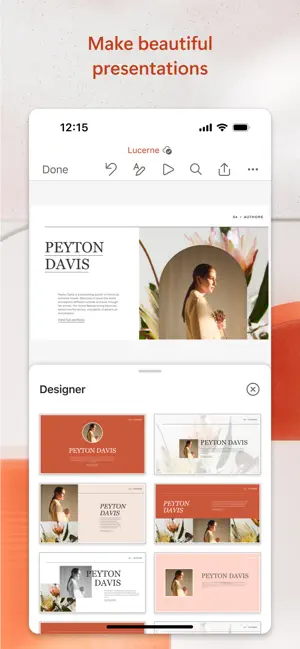
Making a delightful and impactful presentation has never been easier. PowerPoint gives you templates to work from and automatic design ideas for your presentations.
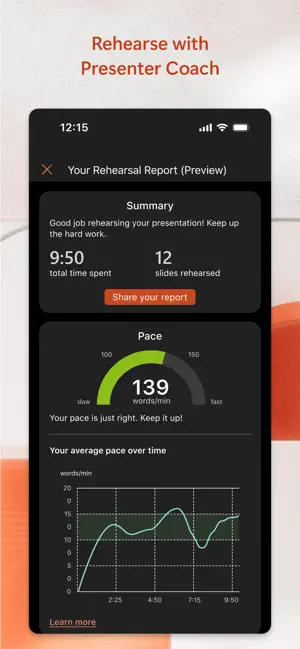
Master your presentation with Presenter Coach, a AI tool designed to help with public speaking. Practice your presentation and get real-time suggestions to adjust your pacing, avoid “umms” and speak confidently. Requires an active Microsoft 365 subscription.
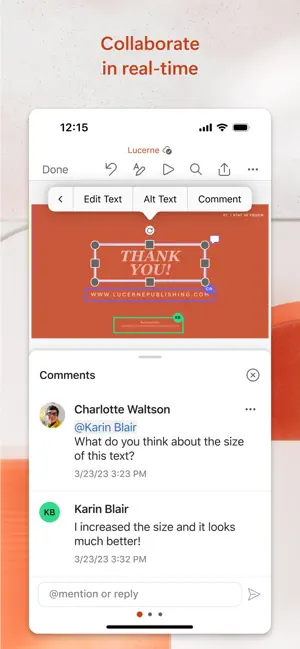
Customize your presentations on the go, collaborating with others in real time. Sync your PowerPoint documents via OneDrive, share with coworkers and create amazing presentations as a team.
Get the power of AI with Copilot1 in your favorite apps when you sign in with your Microsoft 365 subscription. Create, edit and share presentations with ease when you download Microsoft PowerPoint today.
Present with confidence
• Never miss a beat with PowerPoint on the go. You can make new presentations or continue working on existing ones.
• PowerPoint syncs your presentations to OneDrive, so you can start a presentation on your PC, then edit using PowerPoint mobile.
• A new Presenter Coach designed to provide feedback and assistance for your presentations.
Customizable Slideshow Maker
• With the powerful and highly customizable experience in PowerPoint, creating presentations that will make an impression and help you stand out is easy.
• Create a slideshow from a template or make a presentation from scratch.
Collaborate on Presentations
• PowerPoint makes it easy to collaborate with others.
• With 1-click sharing, quickly invite others to edit, view, or provide feedback on your slides.
• Easily manage permissions and see who’s working on your presentation.
• Stay on top of changes and feedback with integrated comments within the slides.
• Compare changes to see how your presentation has evolved over time.
Download Microsoft PowerPoint now and get the best way to create, edit and share slideshows and presentations from your iPhone or iPad.
To create or edit documents, sign in with a free Microsoft account on devices with a screen size smaller than 10.1 inches.
Unlock the premium Microsoft 365 experience with a qualifying subscription for your phone, tablet, PC, and Mac.
Monthly Microsoft 365 subscriptions purchased from the app will be charged to your App Store account and will automatically renew within 24 hours prior to the end of the current subscription period unless auto-renewal is disabled beforehand. You can manage your subscriptions in your App Store account settings.
This app is provided by either Microsoft or a third-party app publisher and is subject to a separate privacy statement and terms and conditions. Data provided through the use of this store and this app may be accessible to Microsoft or the third-party app publisher, as applicable, and transferred to, stored, and processed in the United States or any other country where Microsoft or the app publisher and their affiliates or service providers maintain facilities.
Please refer to the Microsoft Software License Terms for Microsoft 365. See “License Agreement” link under Information. By installing the app, you agree to these terms and conditions.

-

- YAZIO
- Write It! Japanese (Write Japanese)
- L’ÉQUIPE - actu, score, match
- Meta AI
- Tarot! App
- Brawlhalla App
- DuoMe - Live Video Chat
- Mubasher
- Teamo
- Breeze - Offline Dating App
- فضفض - شات و دردشه مع مجهول
- Beep: Internships for Students
- GOGO LIVE
- TR TALK
- Chrome Dev
- Yooppe
- Cici
- Achat Pro
- Dil Mil
- NIMI



Free Download Microsoft PowerPoint App 2.103.3 by App Store
2.103.3
 4.7
4.7 
Design Slideshow Presentations
Information about Microsoft PowerPoint App 2.103.3
 |
License | |
|---|---|---|
 |
Op. System | Requires iOS 18.0 or later. |
 |
Category | Productivity for iPhone |
 |
Language | English,Arabic,Catalan,Croatian,Czech,Danish,Dutch,Finnish,French,German,Greek,Hebrew,Hindi,Hungarian,Indonesian,Italian,Japanese,Korean,Malay,Norwegian Bokmål,Polish,Portuguese,Romanian,Russian,Simplified Chinese,Slovak,Spanish,Swedish,Thai,Traditiona |
 |
Author | Microsoft Corporation |
 |
Permissions | |
 |
Downloads | 0 |
 |
Date | Jan 1, 1970 |
 |
Size | 432.9 MB |
 |
File type | ios |
 |
Architecture | Requires iOS 18.0 or later. |
 |
Content Rating | 4+ |
 |
Advertisement | Free · In‑App Purchases |
 |
Requirements | Requires iOS 18.0 or later. |
 |
SHA256 |
Apps recommended for you