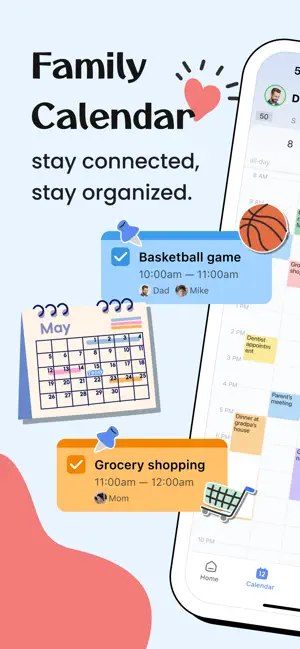
Keep your family organized and connected with our shared calendar app.
Easily manage schedules, tasks, and notes in one place, so everyone stays on track and nothing important gets missed.
FEATURES:
FAMILY MEMBERS
- Adult members with email addresses
- Child members without email addresses
- Color code events with members' colours
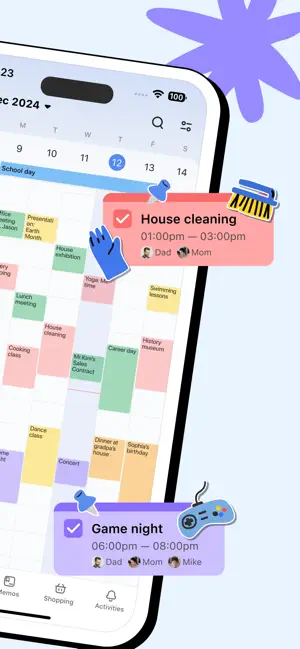
FAMILY CALENDAR
- Share events with whole family
- Add or edit event that everyone in the family group can see
- Set local notifications or notify someone from cloud server
- Both calendar and agenda view
- Color code events with members' colours
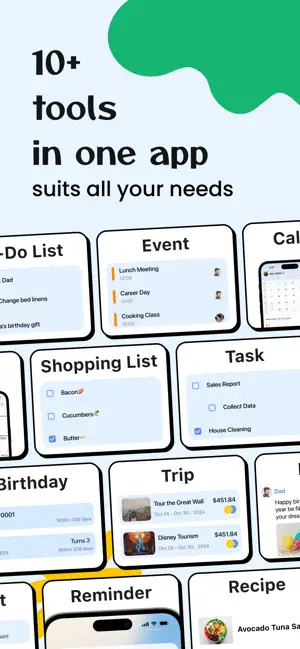
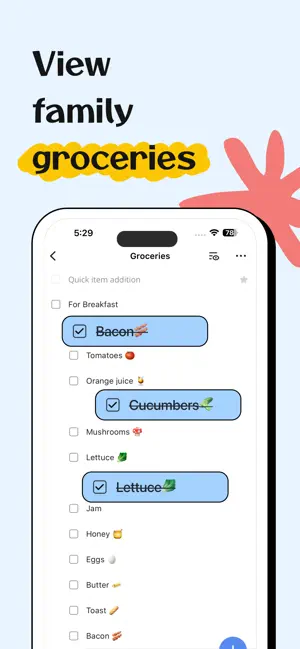
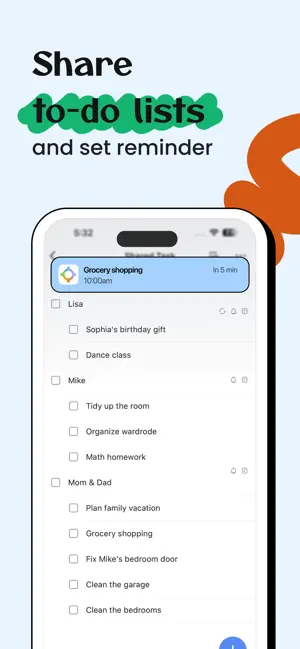
SHARE LISTS & ASSIGN TASKS
- Share grocery list, shopping list or even work schedule & more
- Create task lists and to-dos
FAMILY MEMOS
- Share notes or jot down a moment
- Unlimited notes to share with family members
- Leave comments for each memo
SHARED RECIPES
- Organize all your recipes in one place
- Add ingredients to your shopping list just by one tap
- Schedule meals onto your calendar quickly and easily
- Add new recipes manually or import from URL
- Provided no-dim button that keeps your screen on while you're cooking from your phone
SHARED TRIP EXPENSES
- Organize all your trips in one place
- Record every expense during a trip
- Multiple charts to analyze all expenses in a trip
- Export all expenses of any trip in PDF or CSV format
STAY CONNECTED & IN SYNC
Organize your calendar, projects and notes at everywhere, access with any devices. The whole family group shares one account, so login with your own email address and a shared password.
FamCal is great for family, group or anyone who needs to stay organized together. You can schedule together, achieve projects together. There is no limit in events, tasks and notes, you can create as many as you need.
All the functions listed above are basic, we also offer an ad-free version with many additional features(available as a subscription)
- Text month view
- Shared contacts
- Birthday Tracker
- Anniversary Tracker
- Export Schedule
Subscription Information:
- Weekly and annual subscriptions are available.
- Payment will be charged to iTunes Account at confirmation of purchase
- Subscription automatically renews unless auto-renew is turned off at least 24-hours before the end of the current period
- Account will be charged for renewal within 24-hours prior to the end of the current period, and identify the cost of the renewal
- Subscriptions may be managed by the user and auto-renewal may be turned off by going to the user's Account Settings after purchase
The content of the screenshots, preview videos, and audio are provided by the following platforms:
- Shutterstock: Used with permission from Shutterstock.com (where applicable)
- Epidemic Sound: Touch by Otherguys / provided by Epidemic Sound
- Freepik: Designed by Freepik
- iStock: Standard license obtained from iStock
Terms of Use: http://www.appxy.com/termsofuse/
Privacy Policy: http://www.appxy.com/famcalprivacy/
If you have any problems or suggestions please send an email to [email protected], you’ll get a response as soon as possible.

-

- YAZIO
- Write It! Japanese (Write Japanese)
- L’ÉQUIPE - actu, score, match
- Meta AI
- Tarot! App
- Brawlhalla App
- DuoMe - Live Video Chat
- Mubasher
- Teamo
- Breeze - Offline Dating App
- فضفض - شات و دردشه مع مجهول
- Beep: Internships for Students
- GOGO LIVE
- TR TALK
- Chrome Dev
- Yooppe
- Cici
- Achat Pro
- Dil Mil
- NIMI


Free Download Shared Family Calendar: FamCal App 8.4.1 by App Store
8.4.1
 4.9
4.9 
Share Schedules, Lists & Notes
Information about Shared Family Calendar: FamCal App 8.4.1
 |
License | |
|---|---|---|
 |
Op. System | Requires iOS 15.0 or later. |
 |
Category | Productivity for iPhone |
 |
Language | English,Finnish,French,German,Italian,Japanese,Portuguese,Simplified Chinese,Spanish |
 |
Author | Hangzhou Beesoft Information Technology Co., Ltd. |
 |
Permissions | |
 |
Downloads | 0 |
 |
Date | Jan 1, 1970 |
 |
Size | 186.6 MB |
 |
File type | ios |
 |
Architecture | Requires iOS 15.0 or later. |
 |
Content Rating | 4+ |
 |
Advertisement | Free · In‑App Purchases · Designed for iPad |
 |
Requirements | Requires iOS 15.0 or later. |
 |
SHA256 |
Apps recommended for you