

Mouse without Borders is a Windows program that allows you to control up to four computers with a single mouse and keyboard set. As a result, you won't need dedicated peripherals for each device, allowing you to simplify your desk arrangements.
How to install and use Mouse without Borders
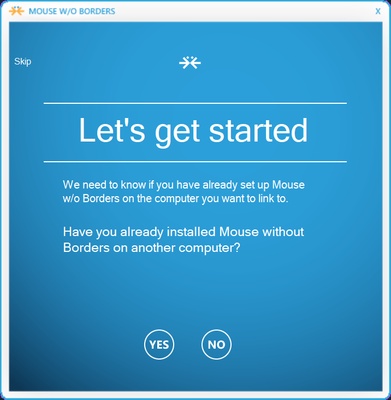
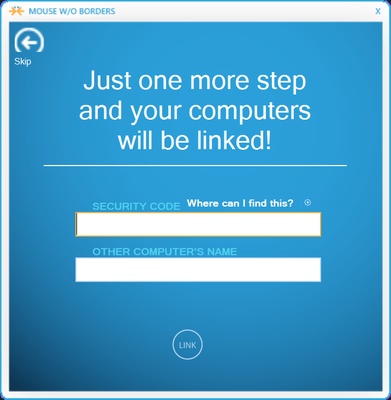
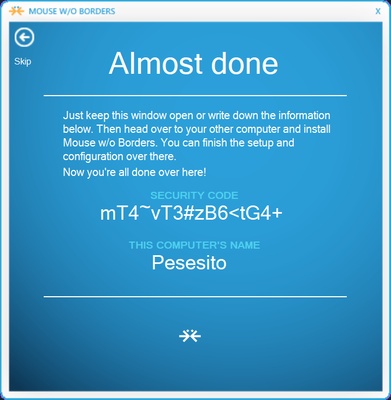
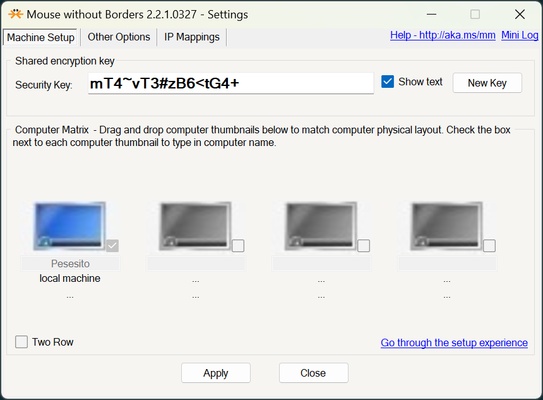
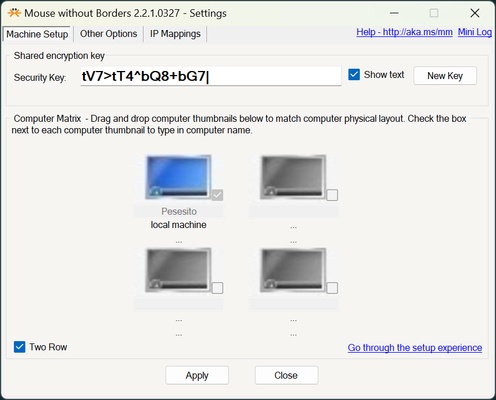
When you open Mouse without Borders for the first time, you will see a configuration window. You can skip this if it is the first computer you are setting up, or you can find the security code of your device to enter it on the one you want to use to control other devices. After the initial configuration, you can activate or deactivate the devices you want to control. You can organize the layout of your devices to look like how you have them set out in real life.
Fast switching between devices
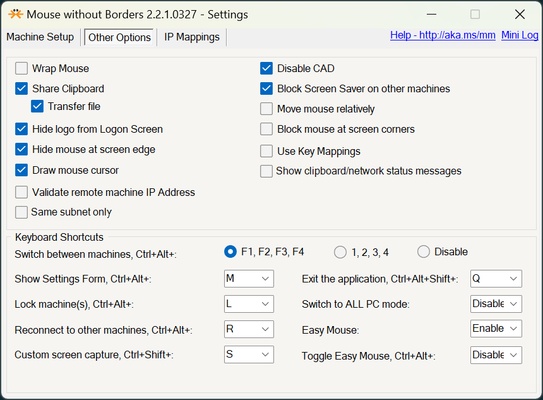
You can switch between devices from the program itself, or make use of commands. The commands can be Ctrl + Alt combined with keys 1, 2, 3 and 4, or Ctrl + Alt combined with F1, F2, F3 and F4. You can also configure Ctrl + Alt shortcuts to display the settings, lock devices, reconnect to other computers, take screenshots, exit the app, and much more.
Other options
Mouse without Borders also allows you to have a global clipboard to easily copy and paste content between different devices. You can also stop the screensaver from being activated, hide the mouse in the corners, and much more.
Connect to other computers with a code or by IP address
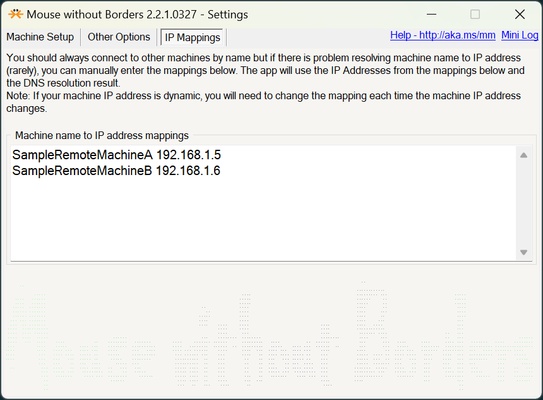
Mouse without Borders allows you to connect via password or by device name. If you choose device name, this option may not always work. For this purpose, Mouse without Borders has a section where you can assign a name to each IP. It is important to note that IP addresses can change, so you may need to check them if there is a network reboot or the DHCP is not configured correctly.
Download Mouse without Borders on Windows and control multiple computers with the same keyboard and mouse.