Go to Windows platform Display platforms icon
Go to Windows platform Go to Mac platform Go to Android platform
Windows App icon

Windows App

2.0.379.0
5
size
1downloads

Enjoy Windows on the cloud for when you're on the go

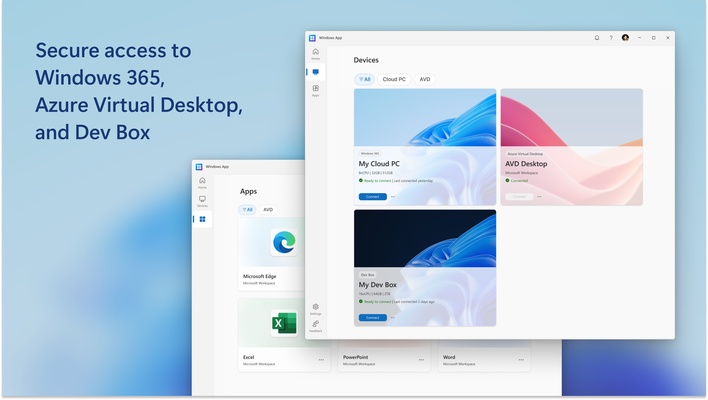
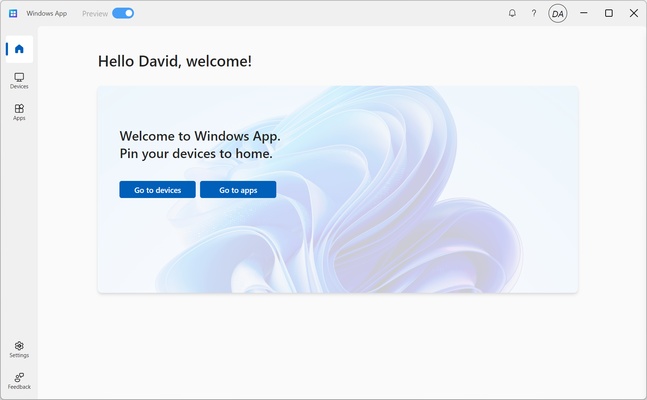
Windows App is a Microsoft app that allows you to access Windows remotely. With Windows App, Windows is hosted on a virtual machine on a Microsoft Azure cloud server, so you're not dependent on your device's operating system.

A fully customizable Windows on the cloud

Windows App replaces Windows 365 and Azure Virtual Desktop, and it's ideal if you use Windows on several different devices. You can keep your various services and apps synced and available at all times. In addition, you can use it on any device regardless of the operating system it's running.

Windows App also allows you to use multiple monitors at the same time, as well as customize the screen resolution, scaling, taskbar, and other elements. The cloud server takes care of managing all the peripherals you connect, whether they're keyboards, mice, webcams, printers, or external storage devices.

Requires a Microsoft account

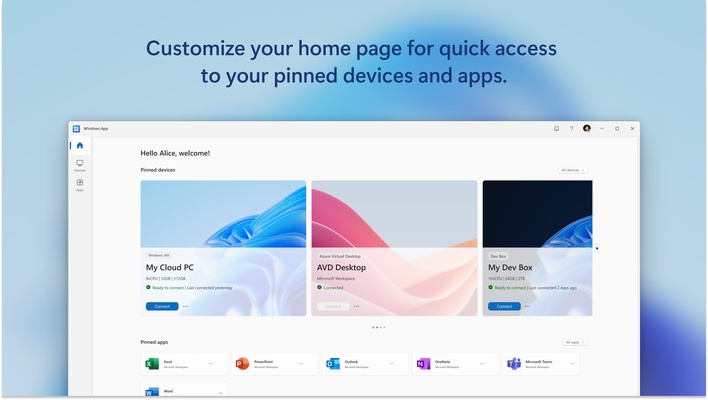
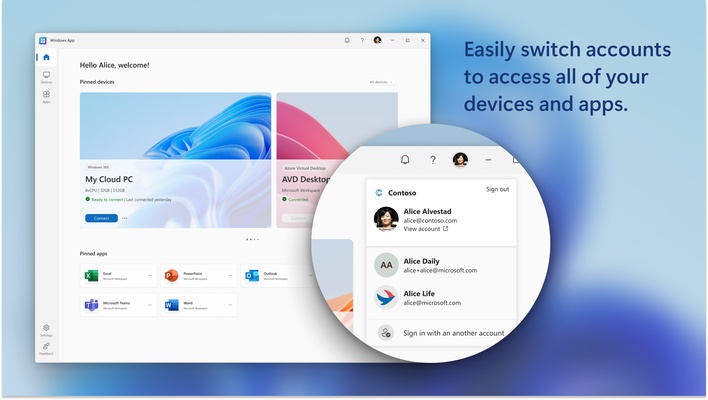
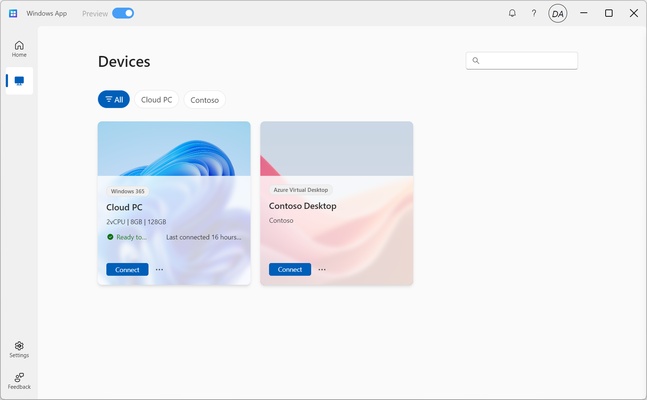
In order to use Windows App, you must have a Microsoft account. You can also use multiple Microsoft accounts with different sessions. By logging into your account, you can view all the active sessions, as well as useful information like the number of cores, RAM, or available storage on each virtual machine. It also shows whether it's ready to connect or when it was last connected.

Along with shortcuts to your Windows virtual machines on the cloud, you can also quickly access Microsoft apps such as Excel, Word, PowerPoint, Outlook, or Microsoft Teams.

Download Windows App and enjoy Windows on the cloud.

Information about Windows App 2.0.379.0

License
Op. System
Category Utilities
Language
Author
permission icon Permissions
Downloads 1
Date 2025-04-18
Size
File type
Architecture
Content Rating Not specified
Advertisement
Requirements
SHA256

Apps recommended for you

VirtualBox icon
An easy-to-use virtualization tool
Fan Control icon
Control the speed of your PC's fans
GPU-Z icon
Monitors your graphic card's key features
App Installer icon
Install apps from the Microsoft Store manually
Drawboard PDF icon
Multiple options for editing PDFs
Display Driver Uninstaller (DDU) icon
Uninstalls your GPU drivers for a clean installation
Trellix Stinger Portable icon
Scan your PC and remove virus
PrusaSlicer icon
Export files to print on your 3D printer
Cisdem PDF Converter OCR icon
Convert and OCR PDFs to Office, images formats and more.
PrusaSlicer icon
Export files to print on your 3D printer
TGMacro icon
Automate repetitive tasks
Steganos Privacy Suite icon
Protect the privacy and safety of your system
1LimX icon
File, data encryption & password manager
EF Commander icon
Manage all the files on your hard drive
Fort Firewall icon
An alternative to the Windows Firewall
GPU-Z icon
Monitors your graphic card's key features
HDCleaner icon
Eliminate all unnecesary files in your PC
Fort Firewall icon
An alternative to the Windows Firewall
Q-Dir Portable icon
Portable version of this efficient file manager
XYplorer icon
Analyze each detail of your files
1Password icon
One of the most comprehensive and safe password managers
ChrisPC Game Booster icon
Get the best out of your PC
SIW (System Info) icon
Know all data having to do with your hardware and software
CoolTerm icon
Sends and receives data through any serial port